
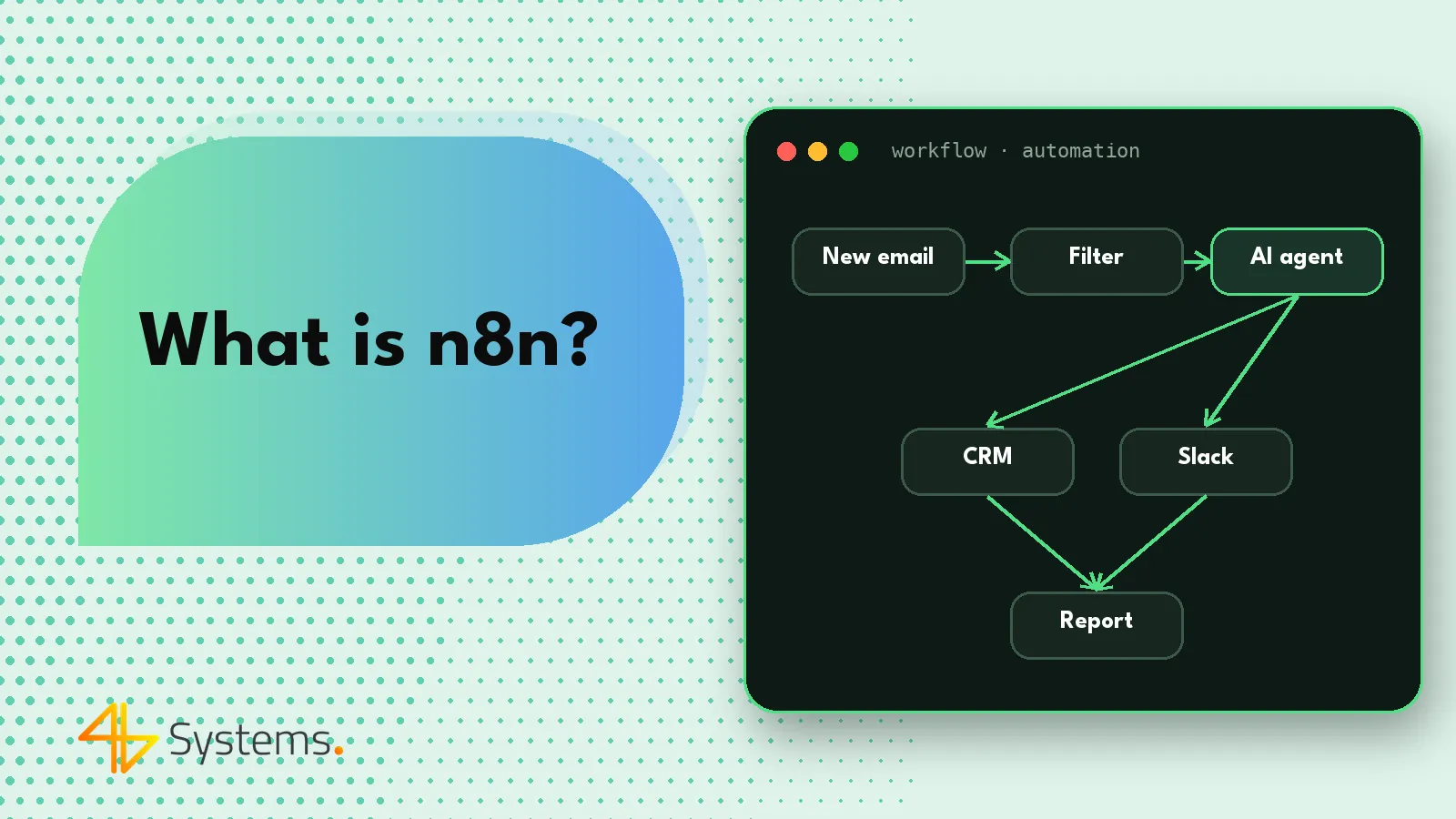
n8n is a business process automation platform where you build visual workflows from connected nodes – each node performs one action, such as receiving data from a form, saving a record in the CRM, sending an email, running code or passing content to an AI model. Unlike many competitors, n8n can run on your own server, and its source code is publicly available under a fair-code license. Thanks to its AI nodes, n8n now lets you build not only classic automations but also simple AI agents that choose their own tools as they run.
In this article we explain how n8n works, how the self-hosted version differs from the cloud one, how it compares with Make and Zapier and – most importantly for businesses – when automation in n8n is enough and when it's better to design a dedicated AI agent.
What is n8n and where did it come from?
The name n8n is short for “nodemation” (from “node” and “automation”): there are eight letters between the first and last letter, hence “n-8-n”. The project was founded in Berlin and from the start was designed as a tool for teams that want to automate processes flexibly, with the option to add their own code wherever ready-made building blocks aren't enough.
In practice, n8n sits between simple “connect two apps” tools and writing integrations from scratch. A business user can build a simple process in the editor, and a developer can extend it with conditions, loops, error handling, calls to any API and snippets of JavaScript or Python code.
How n8n works – workflows, nodes and triggers
Workflow
A workflow is a process drawn on the editor canvas: a sequence of nodes connected by arrows through which data flows. Every run of a workflow (an execution) is recorded, so you can see what data went into and came out of each node. That makes troubleshooting much easier.
Trigger nodes
Every workflow starts with a trigger. It can be a webhook (e.g. a form submitted on your website), a schedule (every day at 7:00 a.m.), a new message in an inbox, a new row in a spreadsheet or an event in another app. A workflow can also be started manually or from another workflow.
Action nodes and logic nodes
Action nodes perform operations in specific apps – n8n has ready-made integrations with many popular services, and for everything else there's the universal HTTP Request node, which lets you call any API. Logic nodes control the flow of the process: conditions (IF, Switch), merging branches (Merge), loops, waiting and data transformation. The Code node lets you insert your own code when you need unusual logic.
Credentials and error handling
Access details for systems (API keys, OAuth accounts) are stored centrally as credentials and assigned to nodes. For production processes, error handling is important: n8n lets you define a separate workflow that runs when something fails – for example, one that sends a notification to an administrator.
n8n: self-hosting or cloud?
You can use n8n in two ways:
- n8n Cloud – the version hosted by the vendor. You don't need to maintain a server, updates are handled by the provider, and billing depends on the plan you choose (check the current pricing on the n8n website).
- Self-hosting – installation on your own server or in your company's cloud, most often in a Docker container. Data and credentials stay in your company's infrastructure, but you have to take care of updates, backups, monitoring and security.
Self-hosting is especially attractive when processes involve personal data or confidential information and the company wants full control over where it is processed. Combined with a locally run AI model, it lets you build automation in which data never leaves your infrastructure at all. It does, however, require technical expertise – or a partner who takes over maintenance.
The n8n license – what fair-code means
n8n is not classic open source in the sense of licenses like MIT. The vendor describes its model as fair-code: the code is publicly available and you can read, modify and run it on your own servers, but the license (Sustainable Use License) restricts some commercial uses, above all offering n8n as a service to other parties. Some features aimed at larger organizations are available in paid editions. Before deployment – especially if n8n is to be part of a product for your customers – read the current license text or get advice on your usage model.
n8n vs. Make vs. Zapier – comparison
The most commonly compared automation tools are n8n, Make (formerly Integromat) and Zapier. All of them let you connect apps without writing full integrations, but they differ in philosophy.
| Feature | n8n | Make | Zapier |
|---|---|---|---|
| How it works | Visual workflows with nodes, custom code possible | Visual scenarios with modules | Linear “Zaps”: trigger – actions, with branching options |
| Hosting | Vendor cloud or your own server | Vendor cloud | Vendor cloud |
| Control over data | Full with self-hosting | Depends on the provider | Depends on the provider |
| Learning curve | Medium – easiest with basic technical knowledge | Medium – very clear editor | Low – the easiest start |
| Complex processes | Very good – loops, code, error handling, sub-workflows | Good – advanced scenarios | Limited with very complex logic |
| AI and agents | Built-in AI nodes, including an agent node with tools and memory | AI modules and agent features | AI steps and agent features |
| Pricing | Depends on plan; with self-hosting, infrastructure and maintenance costs | Depends on plan and usage | Depends on plan and usage |
Plan prices and limits change frequently, so we don't quote specific amounts – check the current pricing of each tool. Put simply: Zapier is the simplest for single, straightforward integrations, Make works well for complex cloud-based scenarios, and n8n is chosen by companies that care about control over data, the ability to add code and independence from a single vendor.
AI nodes in n8n – AI automation in practice
In recent years n8n has significantly expanded its AI features. The most important elements are:
- language model nodes – connections to models from various providers (e.g. Claude, GPT, Gemini) or to locally run models;
- the AI Agent node – an agent to which you assign a model, instructions, memory and a set of tools; as it runs, it decides on its own which tool to use;
- agent tools – these can be other n8n nodes, API calls or even entire workflows made available to the agent as a tool; newer versions also offer nodes for working with the MCP (Model Context Protocol);
- memory and vector stores – storing conversation context and searching company documents (RAG);
- extraction and classification nodes – e.g. pulling data from an email into a defined structure or assigning a message to a category.
Typical examples of business process automation with AI in n8n include: classifying incoming emails and routing them to the right person, extracting data from orders and invoices, drafting replies, summarizing documents and filling in CRM records based on the content of an inquiry.
Example: AI process automation in n8n, step by step
To show what this looks like in practice, let's describe a simple workflow for a service company that receives inquiries via a website form and a general email address:
- Trigger – a webhook from the form plus a node that checks the inbox for new messages.
- Data normalization – a node that converts both sources into one structure: sender, subject, body, attachments.
- AI step – the model classifies the message (quote request, complaint, administrative matter, spam) and extracts contact details and a description of the need into a defined format.
- Branching – a Switch node routes the case onward depending on the category.
- Saving to the CRM – for quote requests, a contact and a sales opportunity with a note are created.
- Notification – the account owner receives a message with a summary and a link to the record.
- Quality control – when the model returns low classification confidence, the case goes to a “manual review” queue.
Notice that AI appears in only one step here, and everything else is classic, predictable automation. That's often the best ratio of impact to cost and risk. Only when later stages require corresponding with the customer, asking for missing information or deciding on next actions based on the content is there a place for an agent.
When automation is enough and when you need an AI agent
This is the key question when planning. Automation – even with an AI step – follows a path designed in advance. An AI agent plans its next steps and chooses its tools on its own. Both approaches have their place.
Automation (including with an AI step) is enough when:
- the process follows a fixed, predictable path and its variants can be described with a few conditions;
- AI is needed in only one place, e.g. for classification or data extraction;
- low cost per run and full predictability matter;
- errors must be easy to detect and reproduce under identical conditions.
Consider an AI agent when:
- the next steps depend on the content of the case and can't reasonably be written down as rules;
- the agent has to reach into several systems, gather missing information and judge whether it already has enough;
- the process involves multi-step communication with a customer or employee;
- you need extensive safeguards: per-tool permissions, human approval, detailed logs and cost limits.
The agent node in n8n works well for simpler agents and prototypes. For processes at larger scale, with complex access control, audit requirements or integrations with systems that have no ready-made nodes, it's often better to design a dedicated solution – while n8n can remain the integration or trigger layer. We build hybrid architectures like this when implementing AI agents for businesses.
How to get started with n8n in your company – step by step
- Choose one process – repetitive, with clear inputs and outputs, e.g. passing inquiries from a form to the CRM.
- Decide on hosting – the cloud for getting started and testing, or your own server right away if sensitive data is involved.
- Prepare access – separate service accounts with minimal permissions, not employee accounts.
- Build and test the workflow on test data, with error handling and notifications.
- Add an AI step where it adds value – and plan what happens when the model returns an uncertain result.
- Go live and monitor – review executions, improve, document.
If you're wondering which processes to automate first, take a look at our page on business process automation.
Not sure whether an n8n workflow is enough or you need an AI agent? We'll help you assess it using your own process as an example, design a solution with the right permissions and logs, and if needed run n8n on your server. See how we work on designing AI agents and business process automation, or contact us.
Frequently asked questions
What is n8n in a nutshell?
n8n is a business process automation platform where you connect apps and systems in visual workflows made of nodes. You can run it in the vendor's cloud or on your own server, and built-in AI nodes let you add language models and simple agents to your processes.
Is n8n free?
The n8n code is publicly available and you can run the community edition on your own server, paying for infrastructure and maintenance. The cloud version and features for larger companies are paid – check the vendor's website for current terms and pricing.
Is n8n open source?
The vendor describes its model as fair-code. The code is available and you can modify and run it, but the Sustainable Use License restricts some commercial uses, above all offering n8n as a service to others. Read the current license text before deployment.
Which to choose: n8n, Make or Zapier?
Zapier is the simplest for single integrations, Make works well for complex cloud-based scenarios, and n8n is a good choice when control over data, self-hosting and the ability to add your own code matter. Base the decision on the specific process and your security requirements.
Can you build an AI agent in n8n?
Yes, n8n has an AI Agent node to which you assign a model, instructions, memory and tools. It works well for simpler agents and prototypes, while at large scale, with complex access control and audit requirements, a dedicated solution is often the better fit.
Is n8n safe for company data?
With self-hosting, data and credentials stay in your company's infrastructure, but responsibility for updates, backups and security lies with your IT team. Whatever the edition, use service accounts with minimal permissions and monitor workflow executions.