
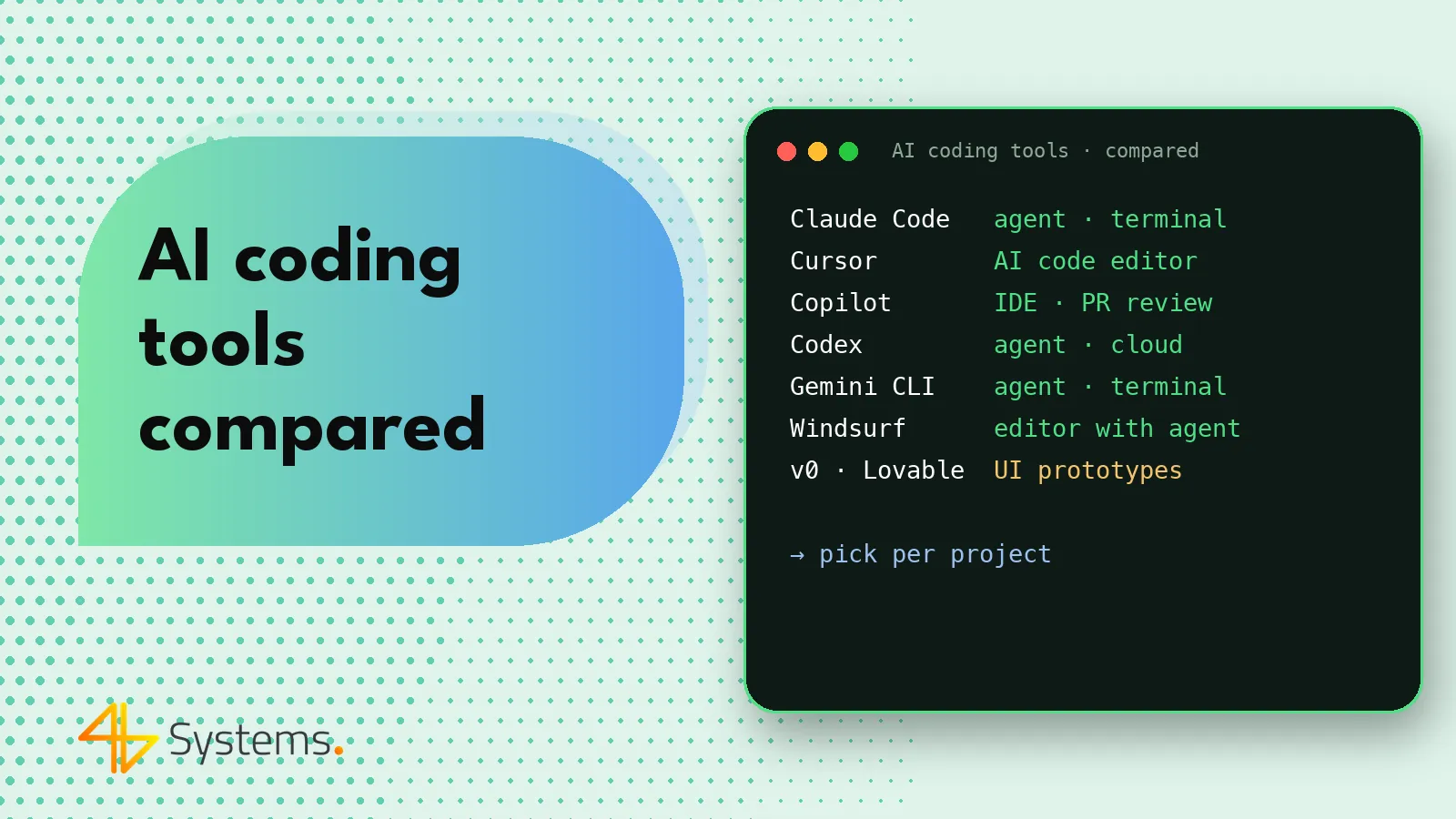
AI coding tools are programs that use language models to write, edit, explain and test code – from suggesting the next lines in the editor, through a chat that knows your project, to agents that carry out multi-step tasks in a repository on their own. The most popular are Claude Code, Cursor, GitHub Copilot, OpenAI Codex, Gemini CLI and Windsurf, and for rapid prototyping – v0, Lovable and Bolt. They differ mainly in where they run and how much autonomy they give the AI.
In this article we map out the market: we group the tools into categories, compare them in a table, describe each one and suggest how to pick a toolset for your team. We do not list prices or plan limits because they change often – always check the vendor's current pricing before you decide.
Types of AI coding tools
Before comparing specific products, it helps to distinguish four types of tools. This matters more than the brand, because the type determines how you work.
- Terminal agent – runs in the command line, reads the repository, edits files and runs commands (tests, build, git). Works well for tasks spanning many files and for automation. Examples: Claude Code, Codex CLI, Gemini CLI.
- Editor with built-in AI – an entire code editor designed around AI: suggestions, chat with project context, agent mode. Examples: Cursor, Windsurf.
- Plugin for an existing IDE – adds AI features to the editor your team already uses (e.g. VS Code, JetBrains, Visual Studio). Example: GitHub Copilot; Claude Code and Codex also have IDE extensions.
- Cloud agent or generator – runs in the browser or on the vendor's servers, often in an isolated environment, and returns ready-made changes or a working application. Examples: the Codex and Copilot cloud agents working on a repository, and the prototype generators v0, Lovable and Bolt.
The boundaries are fluid – many vendors offer a terminal version, a plugin and a cloud version at the same time. Still, it is worth knowing what the "main mode" of a given tool is.
AI coding tools comparison – table
| Tool | Vendor | Type | Best for |
|---|---|---|---|
| Claude Code | Anthropic | Terminal agent (also IDE extensions, desktop app, web version) | Multi-file tasks, refactoring, working on large repositories, automation with MCP |
| Cursor | Anysphere | AI editor (based on VS Code) | Everyday work in the editor: suggestions, chat with context, agent mode, choice of models |
| GitHub Copilot | GitHub (Microsoft) | IDE plugin + agent and review in GitHub | Teams working on GitHub: suggestions in the IDE, pull request review, tasks assigned to an agent |
| OpenAI Codex | OpenAI | Terminal agent, IDE extension and cloud agent | Delegating tasks to run in the background, many tasks in parallel, terminal work |
| Gemini CLI | Terminal agent (open source) | Terminal work with Gemini models, teams in the Google Cloud ecosystem | |
| Windsurf | Windsurf | AI editor (Cascade agent) | Working in the editor with an agent that tracks the context of what the developer is doing |
| v0 | Vercel | Cloud generator | React/Next.js interfaces and components, screen mockups |
| Lovable | Lovable | Cloud app generator | Prototypes and MVPs of web apps with a simple back end |
| Bolt | StackBlitz | Generator and in-browser environment | Quick prototypes and demos that run straight away in the browser |
The table describes the main use cases, not a full feature list – features change from month to month. All of the first six tools can generate code, answer questions about the project and make changes to files; they differ in interface, level of autonomy, available models and integrations.
Claude Code – a terminal agent
Anthropic's Claude Code works primarily in the terminal, although it is also available as an extension for popular editors and in other forms. You give it tasks rather than single lines: the agent searches the repository, plans changes, edits files, runs tests and fixes errors. It has an extensive permission system, a project instructions file (CLAUDE.md) and supports the MCP protocol for connecting to external tools. It works best on tasks that span many files and on work that can be verified with tests. We cover the details in our article What is Claude Code and how does it work.
Cursor AI – an editor built around AI
Cursor is a code editor based on VS Code, so developers used to that environment feel at home quickly (their extensions and shortcuts usually work too). It combines several modes of work: smart suggestions while typing, a chat with access to project context, and an agent mode that edits many files on its own. It lets you choose between models from different providers. A good choice for people who want AI at hand throughout their working day in the editor, not just for bigger tasks.
GitHub Copilot – AI where your code lives
GitHub Copilot started out as a code completion tool in the editor and is still very popular for that. Today it is a broader family of features: chat in the IDE, agent mode, pull request review, and an agent you can assign a task to on GitHub, which then prepares the changes as a pull request for review. It works as a plugin in many editors, including VS Code, Visual Studio and JetBrains. Its biggest advantage is the GitHub integration – for companies that keep their code there and manage permissions there, it is often the easiest to roll out organizationally.
OpenAI Codex – a local and cloud agent
Under the Codex name, OpenAI now offers a coding agent available in several forms: a command-line tool, an editor extension and a cloud agent that runs tasks in an isolated environment and returns proposed changes. The "delegate and come back for the result" model works well when you have several independent tasks at once. A note on naming: "Codex" used to also refer to an older OpenAI model for code generation – today it usually means the agent.
Gemini CLI – Google's terminal agent
Gemini CLI is an open-source agent that runs in the terminal and uses Google's Gemini models. Like Claude Code or Codex CLI, it can read a project, edit files, run commands and use extensions, including MCP servers. Its open source code makes it easier to check how the tool works and to adapt it to your own needs. A natural choice for teams that already use Google Cloud services.
Windsurf – an editor with the Cascade agent
Windsurf is a code editor with built-in AI, centered on the Cascade agent. The agent combines conversation with the developer and making changes in the project, and tries to follow the context of what the developer is currently doing in the editor. In practice, Windsurf competes directly with Cursor – the choice between them often comes down to team preference, available models and licensing terms.
v0, Lovable and Bolt – AI for prototypes
This group of tools serves a different purpose from the rest. Instead of working on an existing repository, they generate a new application or interface from a natural-language description and immediately show a preview in the browser.
- v0 by Vercel specializes in interfaces – it generates components and screens, mainly in the React and Next.js ecosystem, which a developer can then move into the project.
- Lovable builds complete web applications, with the option to connect a database and login, and to sync the code with a repository.
- Bolt by StackBlitz runs an entire development environment in the browser, so the prototype works without installing anything.
These are great tools for validating an idea and communicating requirements. The code they generate, however, needs a review before it goes to production – we write about the risks in our article What is vibe coding.
How to choose AI coding tools for your company
There is no single best tool. Base your choice on a few criteria:
- Security and data processing terms. Is there a business plan in which your code is not used to train models? Where is the data processed? Can you sign a data processing agreement? This is the first question, not the last.
- How your team works. Developers attached to JetBrains are unlikely to switch to a new editor – for them, a plugin or a terminal agent will feel more natural. A team on VS Code will easily move to Cursor or Windsurf.
- Level of autonomy. Suggestions in the editor mean low risk and a small gain per task. Agents deliver more, but require tests, permissions and discipline in code review.
- Integrations. GitHub or GitLab, issue tracker, CI, documentation, a browser for testing – check MCP support and the available integrations.
- Models. Some tools are tied to models from a single provider, others let you choose. Different models handle different tasks better.
- Management and costs. Admin panel, license control, usage billing, limits. Check the vendor's current pricing and run a pilot on a real project before you buy licenses for the whole team.
How we combine AI tools in our projects
In practice, teams rarely use a single tool. A typical toolset for a web or mobile app project might look like this:
- Prototype – v0, Lovable or Bolt for a quick clickable mockup the client can try before scope decisions are made.
- Everyday work – an AI editor or plugin (Cursor, Windsurf, Copilot) for suggestions and small changes.
- Bigger tasks – a terminal agent (Claude Code, Codex, Gemini CLI) for new modules, refactoring, migrations and tests.
- E2E tests – Playwright, also driven by an agent via MCP. More in our article on AI in software testing.
- Review – automated AI comments on pull requests as an addition to review by a developer, not a replacement for it.
This is how we work at 4B Systems: we use Claude Code, Cursor, GitHub Copilot, OpenAI Codex, Gemini CLI and Windsurf on business plans, with no training on client code, and every change is reviewed by a developer. We describe the details on our page about AI apps and AI-assisted development.
What AI coding tools won't do
Whichever tool you choose, some things remain on the human side: understanding business needs, designing the architecture, decisions on security and data, prioritization and responsibility for a working system. The tools can make mistakes – generate code that calls non-existent functions, miss edge cases or suggest outdated solutions. The more autonomy we give AI, the more important testing, code review and sensibly configured permissions become.
Summary
AI coding tools fall into terminal agents (Claude Code, Codex, Gemini CLI), AI editors (Cursor, Windsurf), IDE plugins (GitHub Copilot) and cloud tools, including prototype generators (v0, Lovable, Bolt). The best choice depends on how your team works, your security requirements and the type of tasks – and you get the most from a sensible combination of several tools within a process with testing and code review.
Want your application built faster thanks to AI, but without compromising on quality? 4B Systems combines AI coding tools with the experience of its team: prototype, production version, E2E tests and a review of every change. See how AI app development at 4B Systems works and describe your project – we will prepare a quote within 48 hours.
Frequently asked questions
What is the best AI coding tool?
There is no single winner. For larger tasks across a repository, terminal agents such as Claude Code or Codex work well; for everyday work in the editor, Cursor, Windsurf or GitHub Copilot; and for prototypes, v0, Lovable and Bolt. It is worth confirming your choice with a pilot on your own project.
What is the difference between Cursor and GitHub Copilot?
Cursor is a standalone code editor based on VS Code, built around AI features. GitHub Copilot is primarily a plugin for existing editors plus a set of features in GitHub, such as pull request review and an agent that prepares changes.
Do AI coding tools train models on my code?
It depends on the tool and the plan. Business plans usually state that customer data is not used for training, but you need to check the terms of each vendor. For client projects, use only plans with clear data processing rules.
Is OpenAI Codex the same as ChatGPT?
No. ChatGPT is a general-purpose chat, while Codex is OpenAI's coding agent, available in the terminal, in the editor and in the cloud, among others. Both use OpenAI models, but Codex is designed for working with code and repositories.
Is it worth using several AI tools at once?
Often yes, because different tools work better for different tasks – one for prototyping, another for everyday editing and yet another for large changes. What matters is that all of them run on business plans and within the same code review process.
How much do AI coding tools cost?
Plan prices and limits change often and depend on the number of users and model usage. Check the vendor's current pricing and run a short pilot to estimate the real costs for your team.